

Source : INDIA TODAY NEWS
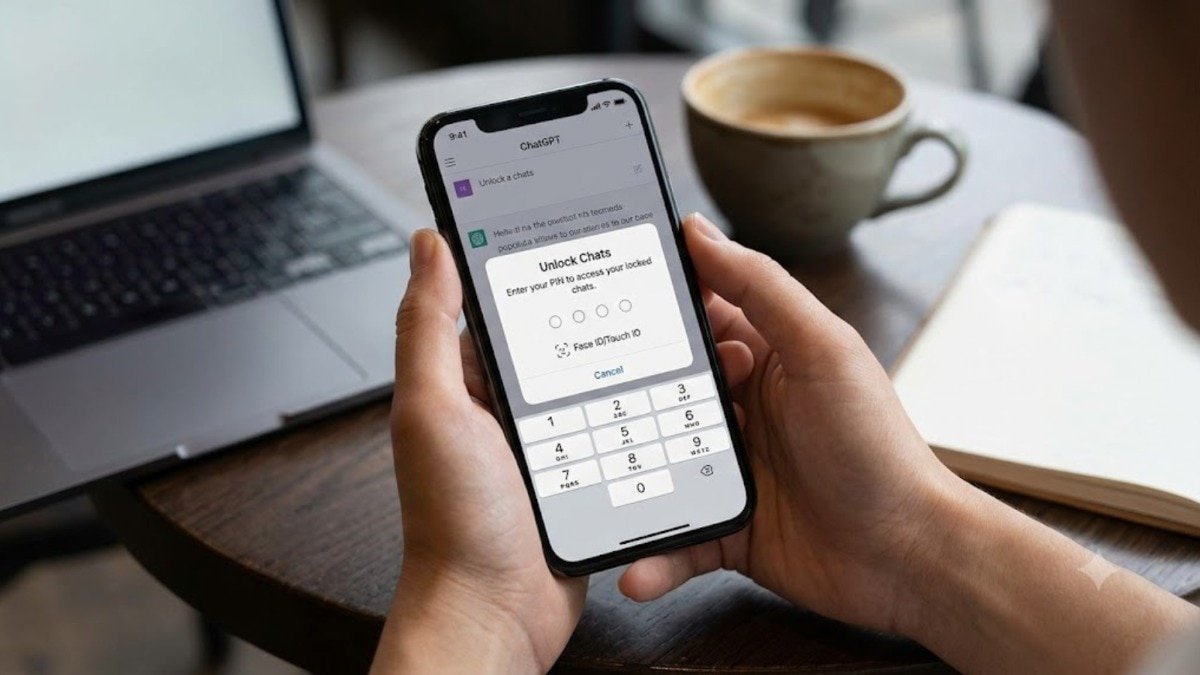
OpenAI announced on Tuesday that you can now lock your ChatGPT conversations to keep your sensitive chats totally private. This new feature is designed for everyday situations where you might be discussing something personal, or planning a surprise, and want to keep those conversations hidden when handing your phone or laptop to friends or family.
You can easily secure these locked chats with a custom four-digit PIN, or you can use Face ID and Touch ID on supported devices.
advertisement
How the new lock feature works
Once you lock a conversation, it completely disappears from your regular chat history on the side of your screen. It is also hidden from your pinned conversations and chat search results. Instead, it moves to a dedicated Locked Chats section where it stays safely separated.
This is very different from the app’s Temporary Chats feature. Temporary chats provide a separate session that doesn’t appear in your history at all, but they eventually vanish. With Locked Chats, your conversations are saved, and you can easily return to them at any time by unlocking the folder.
A separate memory for private chats
One of the most useful parts of this update is how it handles ChatGPT’s memory. If you have the Memory feature turned on, your Locked Chats will get their own separate memory space that is shared only among your hidden conversations. Any new messages you send after locking a chat will update this private memory, but they will never update your regular memory.
This ensures that sensitive information from your locked chats will not accidentally leak into your everyday conversations. However, you should note that locking a chat does not remove the information that ChatGPT already remembered before the chat was locked.
Important privacy rules to remember
While locking a chat adds a great new layer of privacy to your screen, it does not change how your data is stored in the background. OpenAI notes that locking a conversation does not create end-to-end encryption or a separate encrypted vault. It also does not change how long the company retains your chat data, and it does not change the “Improve the model for everyone” training setting on your account.
The most critical thing to remember is your PIN. If you forget your four-digit PIN and decide to reset it, OpenAI will permanently delete all of your locked chats, hidden files, and private memories protected by that old PIN. The company states that this action cannot be undone, and even customer support cannot bring your deleted content back.
Who can use Locked Chats?
The Locked Chats feature is currently rolling out to users across the web, desktop apps for Mac and Windows, and mobile apps for iOS and Android. It will be available to users on almost all plans, including ChatGPT Free, Go, Plus, Pro, Business, Enterprise, and Edu. However, OpenAI has confirmed that the feature is not available on the ChatGPT for Healthcare plan.
Additionally, you cannot use the lock option on everything. The feature is not available for temporary chats, archived chats, group chats, or conversations created from a shared link. You also cannot lock chats that have scheduled tasks or meeting recordings. Because the company just started rolling this out on Tuesday, it might take a few days before the lock option goes live on your account.
– Ends
SOURCE :- TIMES OF INDIA